 PunyCode Domain Detection
PunyCode Domain Detection
Is that really paypal.com? A Firefox add-on that stops look-alike web addresses before they open.
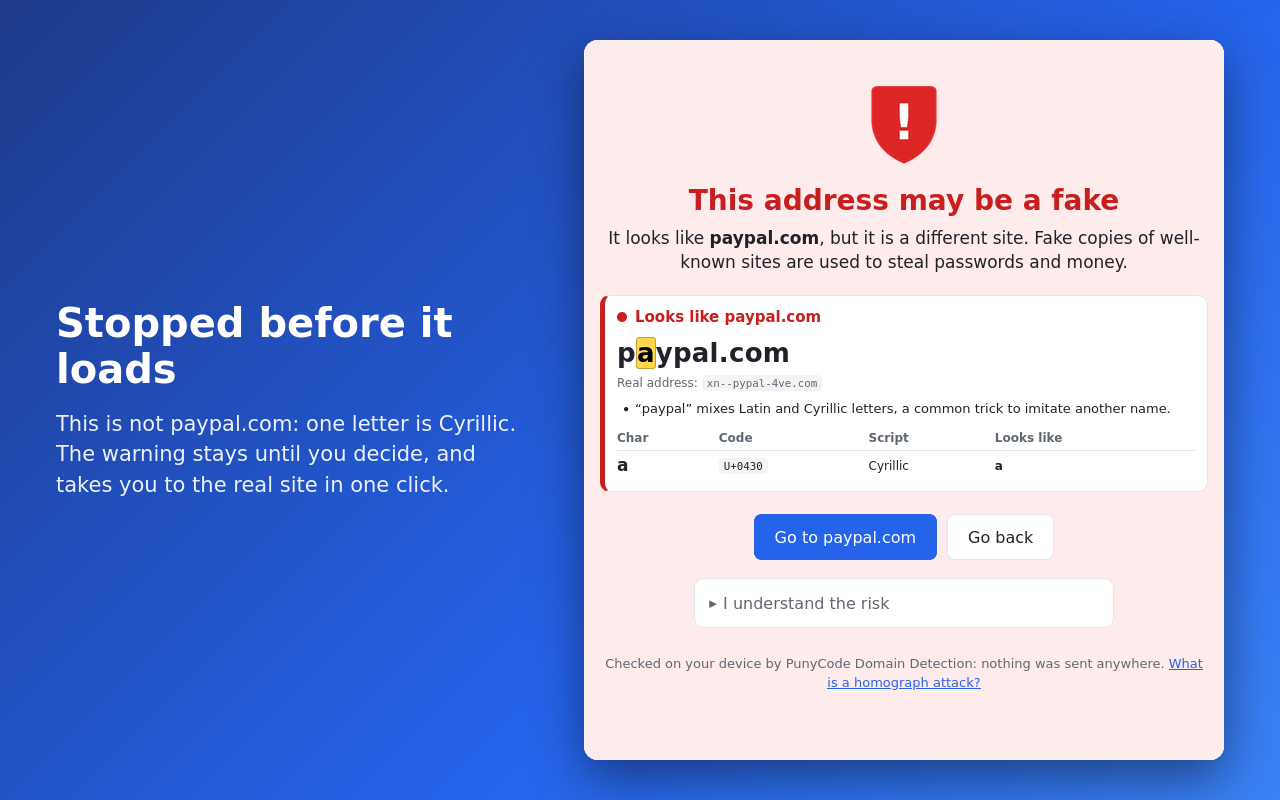
The trick
Domain names can contain letters from any alphabet. Some of them look exactly like Latin letters, so phishing sites register names that are impossible to tell apart in the address bar:
| You see | Real address | The trick |
|---|---|---|
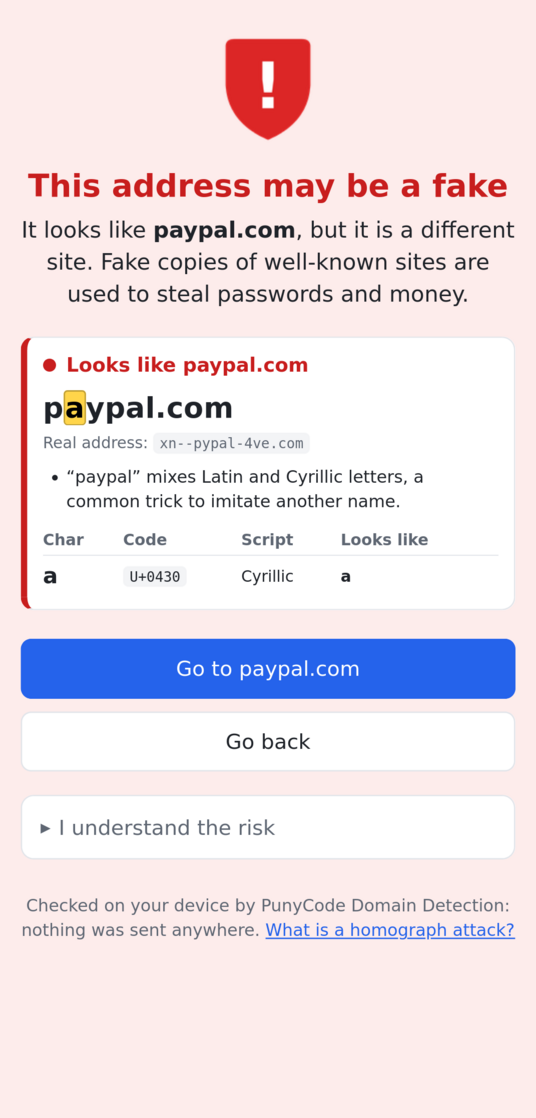
| pаypal.com | xn--pypal-4ve.com | Cyrillic “а” (U+0430) instead of Latin “a” |
| аррӏе.com | xn--80ak6aa92e.com | written entirely in Cyrillic letters |
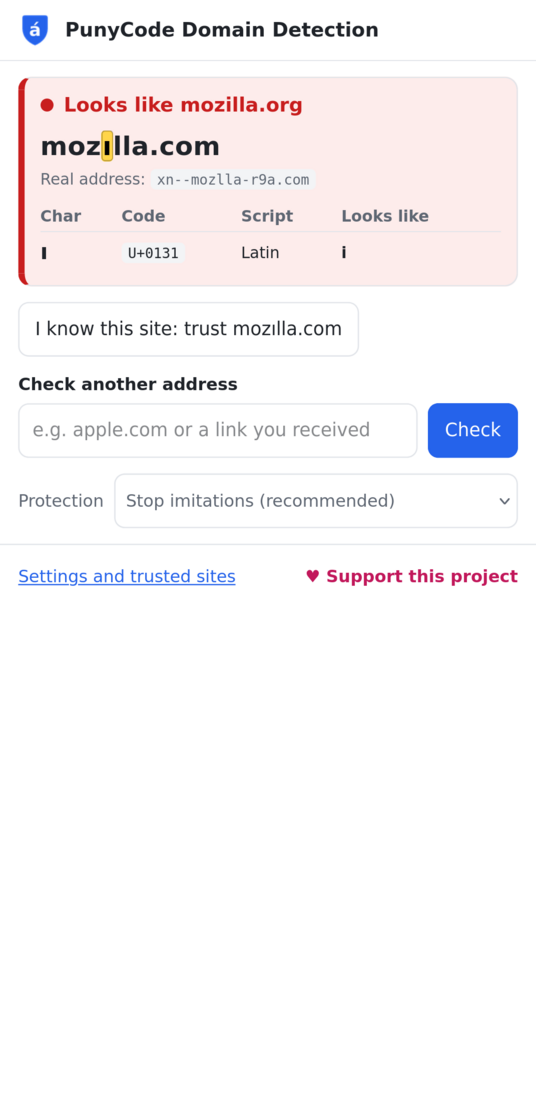
| mozılla.com | xn--mozlla-r9a.com | Turkish dotless “ı” |
| paypa1.com | paypa1.com | the digit one instead of “l” |
Firefox shows the real xn-- (Punycode) form only in some of these cases. This add-on checks every address you open.
What it does
- Checks the address before the request leaves your browser, so a fake site is caught even if it does not answer, and before it can run any code.
- A full-page warning that stays until you decide: go to the real site in one click, go back, or open it anyway (once, or always for that site).
- Shows the trick: the look-alike letters are highlighted, with their Unicode code, their alphabet and the letter they imitate.
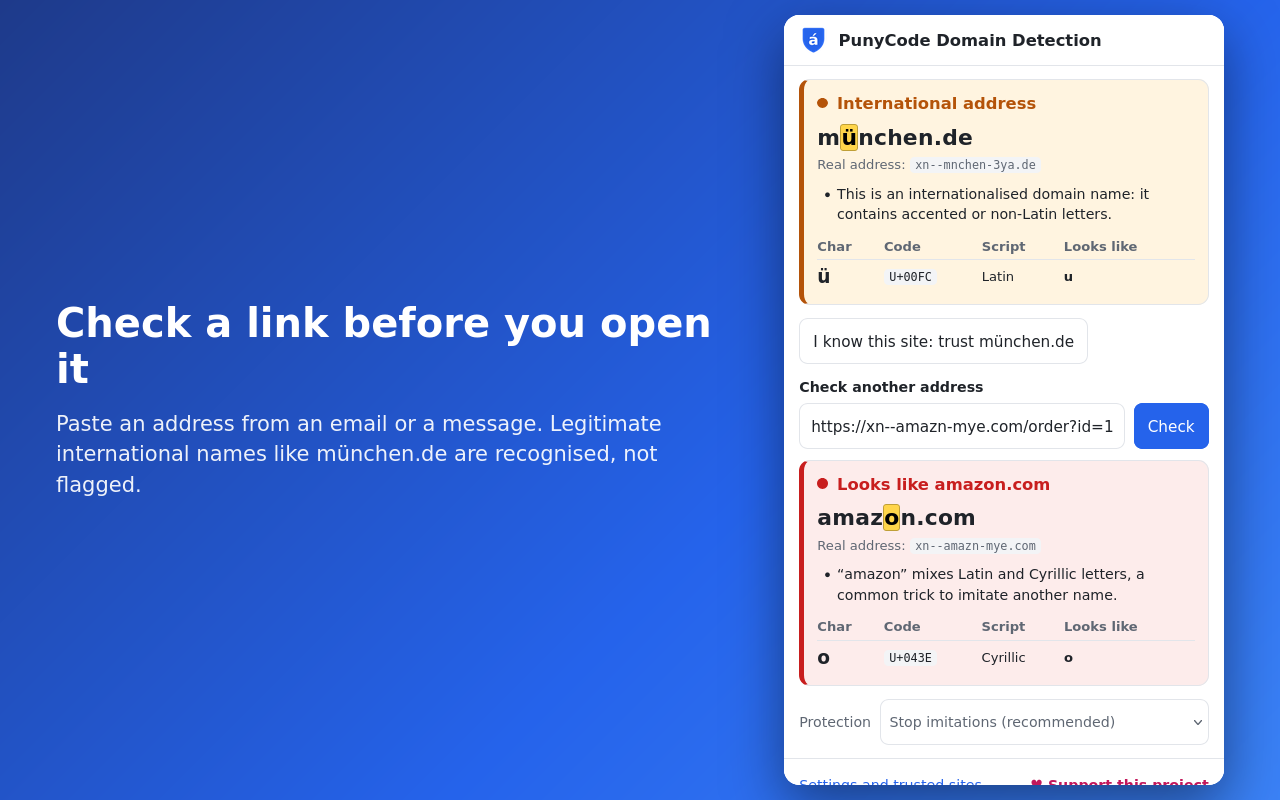
- Few false alarms: legitimate international names such as münchen.de, пример.рф or 中国.中国 open normally; the toolbar icon just turns amber.
A page is stopped when its name:
- mixes alphabets in one name, such as Latin and Cyrillic (the mixes used by Chinese, Japanese and Korean names are allowed, as Unicode recommends);
- uses one non-Latin alphabet but only letters that look Latin, such as
асе.com(unless the domain ending is in the same alphabet, as inасе.рф); - imitates one of 222 sites that phishing targets most (banks, payments, mail, shops, social networks, Italian public services) or a site you added, including tricks with plain characters such as
paypa1.com,g00gle.comandrnicrosoft.com.
The look-alike characters come from the Unicode security data (UTS #39, 1,797 characters).
Toolbar panel
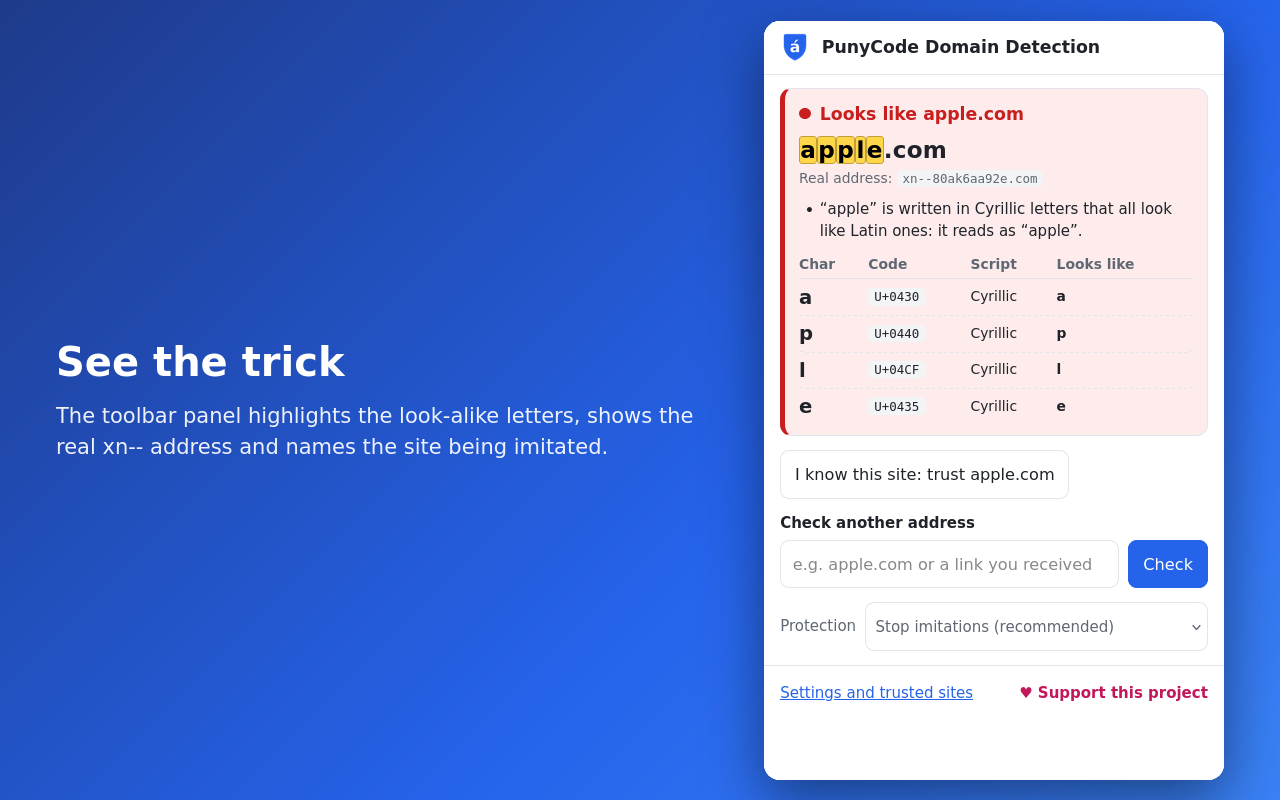
- Icon colours: blue = plain address, amber = international address, red = possible imitation.
- The verdict for the current page, with “trust this site”.
- Check any link before opening it: paste an address from an email or a message.
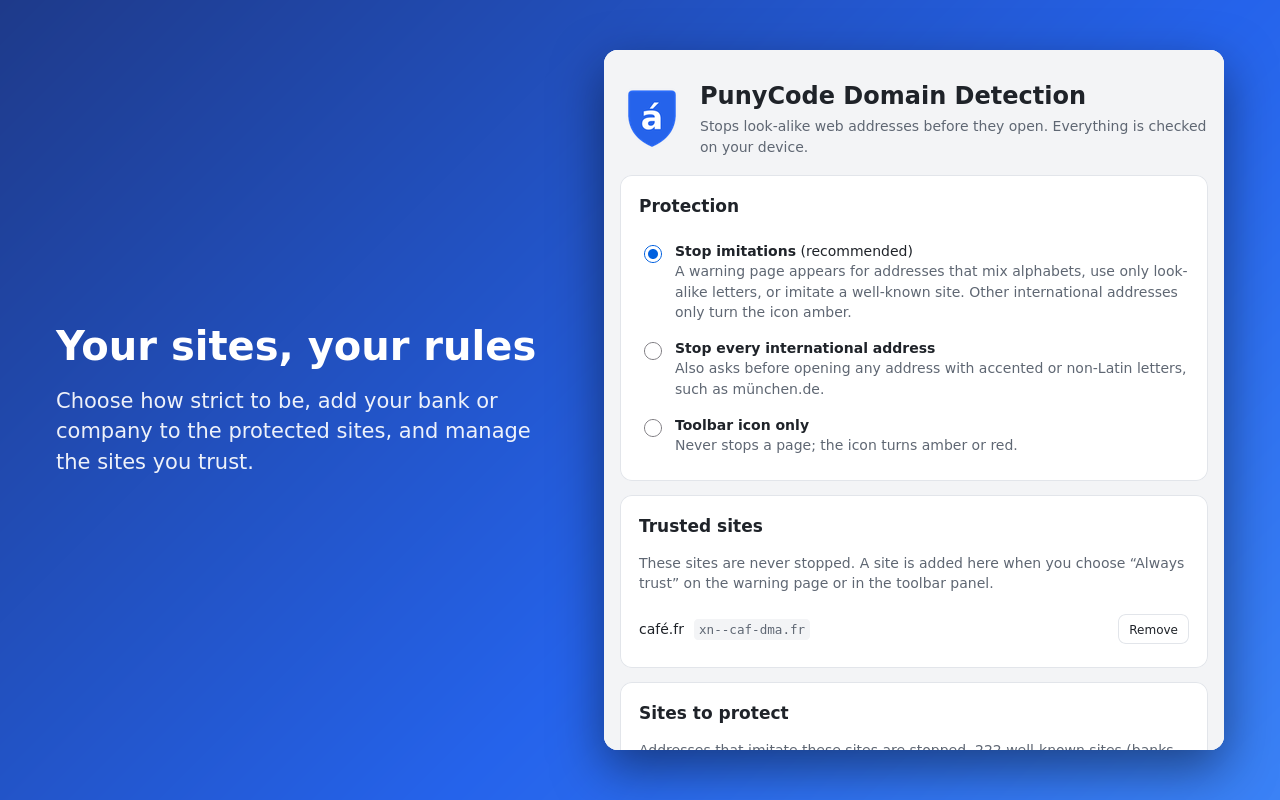
- Three modes: stop imitations (default), stop every international address, or icon only.
Firefox for Android
On a phone the address bar has little room to show the real address, so the add-on is even more useful there. The warning page and the panel are designed for touch screens. Open the panel from ⋮ → Extensions → PunyCode Domain Detection.
Permissions
| Permission | Why |
|---|---|
| Access your data for all websites | Check the address of each page you open (the page content is never read). |
| webRequest, webRequestBlocking | Replace a look-alike address with the warning page before the request is sent. Only the pages you open in a tab are checked, not images or frames. |
| storage | Your settings, trusted sites and sites to protect. |
Nothing leaves your device: see Privacy.
Source code and tests
Plain, unminified code with no third-party libraries. 75 unit checks of the analysis and 53 end-to-end checks in a real Firefox. Get it from the git repository or the downloads.